

ShawnMoschSite_Black_Transparent

Discover Your Cricut’s Full Potential and Start Crafting Like a Pro!

Learn step-by-step how to master your Cricut without feeling
overwhelmed – even if you're a complete beginner.
online cricut class learn cricut

Layers | Design Space | SVG Files | Images

Yes! I’m Ready to Master My Cricut!

The Ultimate Cricut Course
Designed for Beginners

The Cricut Mastery Course is widely regarded as one of the most detailed and user-friendly self paced online Cricut class available today.

The Cricut Mastery Course is the next best thing
to having a Cricut expert in your home!

Screenshot 2025-01-08 at 2.56.40 PM

Inside, you’ll find over 20 expertly designed lessons that walk you through every tool, feature, and function of Cricut Design Space. Each topic is thoughtfully broken down into bite-sized sections, making it easier than ever to master the platform and start creating with confidence.

Plus, with lifetime access, you can learn at your own pace, revisit lessons anytime, and grow your Cricut expertise on your schedule.

What will you learn in the Cricut Mastery Program?

Crafting on a Budget

You don’t need to pay for Cricut Access to create stunning projects! This online Cricut class shows you how to fully utilize Cricut Design Space for FREE. Learn Shawn’s proven techniques to unlock all the software’s features and design incredible crafts—without the monthly subscription fee. Craft smarter, not harder!

Cricut Design Space

No matter which Cricut machine you own— Explore , Maker, Joy, or Venture — they all rely on Cricut Design Space to bring your projects to life. That’s why this Cricut course focuses on teaching you everything you need to know about the software. With clear step-by-step instructions, you’ll master Design Space and discover your machine’s settings and features to unlock its full potential.

SVG Files

SVG files are the ideal format for Cricut projects. In this online Cricut class, you’ll learn where to find them, how they are different than images, and how to use them effectively in your crafting projects. Bring your designs to life with precision and ease!

Custom Images

Want to create a cutout of your favorite movie character or superhero? This Cricut course shows you how to find high-quality images, upload them into Cricut Design Space, and customize them for your crafting projects with ease. Turn your creative ideas into personalized designs effortlessly!

Unlock your creativity

Cricut Design Space is your gateway to limitless creative possibilities. From simple designs to intricate masterpieces, this powerful software lets you bring your ideas to life with ease. With the right guidance, you’ll discover there’s no project too big—or too small—for your Cricut.

Understand the Lingo

Confused by terms like Slice, Weld, Attach, or Flatten? This online Cricut course simplifies it all! You’ll learn exactly what each tool does, how to use them confidently, and practical tips to remember them. Once you’ve got the basics down, you’ll explore best practices for different materials, enabling you to create intricate, stunning DIY projects with ease.

See What Others Are Saying...

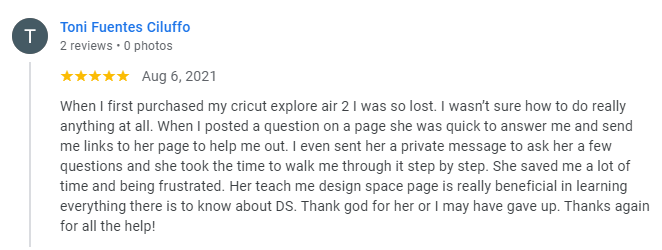
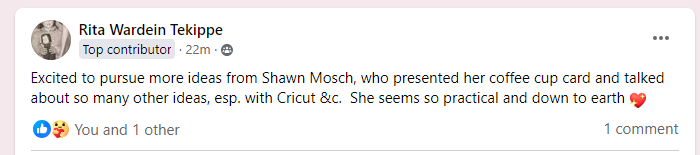
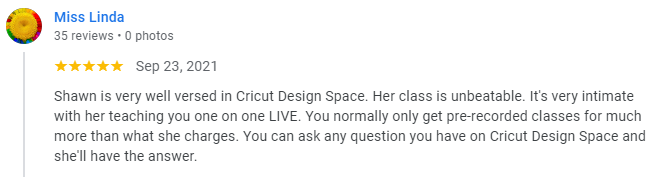
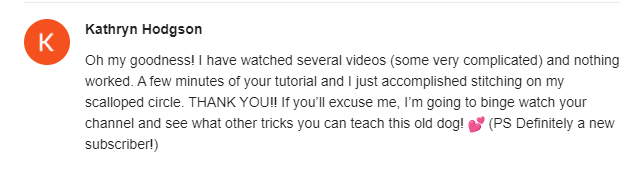
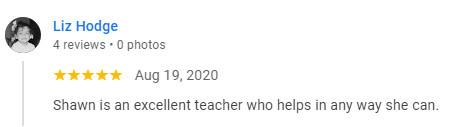
Toni
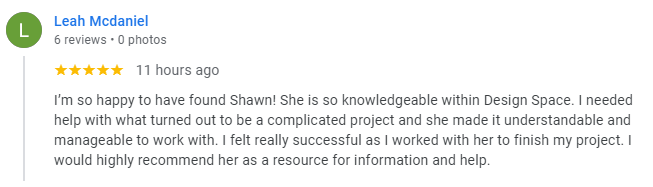
Leah
Screenshot 2023 03 31 065728
unnamed
Screenshot 2024 08 10 095756
Linda
Screenshot 2023 06 03 140644
Brenda e1736274505531
Liz
Michelle

Do YOU Want
Cricut Cofidence?

Your Cricut doesn’t have to be intimidating.


Your guide through the course, Shawn, has been a Cricut owner since 2008, earning titles like Cricut Super Hero and The Cricut Whisperer for her ability to simplify Cricut Design Space and empower crafters.


Her mission? To rescue you from confusion and frustration so you can unleash your creativity with ease. You’ll learn how to confidently create unique, stunning projects— no matter your experience level.


Join the Cricut Mastery Program and
transform how you craft today!

You're 1 Step Away From Cricut Mastery

Don't just take my word for it...

gceoXx7gi

What's Included in the
Cricut Mastery Program?

32 Videos

Over 3.5 hours of detailed videos geared towards helping you understand how to use all of the functions in Cricut Design Space.

11 Practice Lessons

Projects designed to help you learn and build your Cricut confidence.

Project Ideas & Inspiration

Get tailored project recommendations to practice the skills you’ve just learned in each lesson. Every idea reinforces your knowledge, enhances your creativity, and helps you master Cricut functions with hands-on experience.

Tips & Tricks

Get tailored project recommendations to practice the skills you’ve just learned. Each idea reinforces your knowledge, enhances your creativity, and helps you master Cricut functions with hands-on experience.

Answers to Common Cricut Questions

Discover practical solutions to common Cricut challenges, such as finding free designs and fonts, understanding Print Then Cut, troubleshooting warnings, and choosing the best vinyl for your projects. Learn from Shawn’s 16 years of expertise to make crafting easier and more enjoyable!

BONUS #1 - Software Updates

As Cricut continues to roll out updates and new features, staying up-to-date is key to making the most of your machine. Lifetime access to the online Cricut course ensures you’ll always be equipped with the latest tips and techniques to confidently navigate and master the software, no matter how it evolves.

BONUS #2 - New Lessons

As Shawn adds lessons to the course library to reflect the new features Cricut is constantly coming out with, you’ll get instant access to all of them— completely free! Whether its for new machines or innovative crafting techniques, you’ll always have the latest tools and insights at your fingertips, ensuring your skills stay sharp and up-to-date.

Questions

Still Not Sure?
Let's Answer Your Questions

Shawn’s Cricut classes start for beginners, but even those who have owned a Cricut for a while learn something new every session. Plus, you gain lifetime access to all future updates to the online Cricut class with your purchase!

Every copy of Shawn’s online Cricut class that is sold gains lifetime access to the material and even updates when Cricut updates their Design Space software. Shawn will update the course to incorporate those changes and you’ll have access to those updated courses!

Since this is an online Cricut course, there is nothing that will be physically delivered to you.   After you pay for the course you will receive a PDF that you can download and all of the links for the course are inside that PDF.

It is safe to use a Cricut machine with the proper training from amazing courses. Most machines are extremely safe and come with numerous safety features for your protection. However, as there are sharp components, keeping it safely away from young children and pets is important.

Using the machine only requires minimal mobility. People with mild to moderate arthritis should be able to use the machine with little problem. However, severe cases of arthritis can impede your ability to produce precise results.

The course is self-paced with lifetime access, so you can learn whenever it suits you.

For less than the cost of one crafting workshop, you’ll gain skills that last a lifetime. Plus, you’ll gain free access to any future videos added to the course library, so the value will only increase over time.

Since this is an online Cricut course and there is no physical product being sent to you there is no returns.

Heard enough?
Take the First Step Toward Cricut Confidence.

Start Crafting Today!

$ 47
  • Cricut Machine Basics
  • 32 easy-to-follow video lessons
  • 11 practice lessons
  • Project examples for inspiration
  • Cricut Tips & Tricks
  • Answers to Common Cricut Questions
  • BONUS #1 - Course updates for the latest software
  • BONUS #2 - Access to ALL future lessons added
Lifetime Access

This course is independently created and offered by Shawn Mosch and is not endorsed by, sponsored by, or affiliated with Cricut, Inc. The Cricut name, Design Space software, and related products are trademarks of Cricut, Inc. Any references to these are for instructional purposes only,

Share This Article