


I see so many people buying the Cricut Maker 3 because it is the newest of the Cricut machines out there, but just because it is the newest does not mean it is the BEST option for you. In this article I will go into detail about why I would never buy, or recommend that someone else buys the Cricut Maker 3.
By the way, this post contains Affiliate Links to companies I have partnered with, such as Amazon. As an Amazon Associate I earn from qualifying purchases. You can think of affiliate links like tipping your waitress, only it does not cost you anything extra! Thank you for shopping with my links!
Before you run to the store to purchase a Cricut machine, make sure to do some research and see which machine is right for you. I have a Cricut Machine Comparison article you can check out. One of the moderators in my Cricut Facebook group did a full review of the Maker 3 when it came out.
And now that the Cricut Maker 4 and Explore 4 have come out, you have even MORE choices to check out. I know I started off this article by saying I would never buy the Cricut Maker 3, but reality of the things is that if I ever upgrade from my current machine, and I decide to stay with Cricut product, I am probably going to have to buy one of their machines that are made to cut matless with the Smart Vinyl.
People really like to cut things without a mat. I get it. It is one less accessory that you need, and this seems to be the way Cricut is going. I doubt that they will ever make another machine that does not have this feature. This will mean I will be paying for a feature that I will never use.
That would be like paying for Cricut Access, and not using any of the Cricut images and fonts. I would be paying for a feature that I will never use.
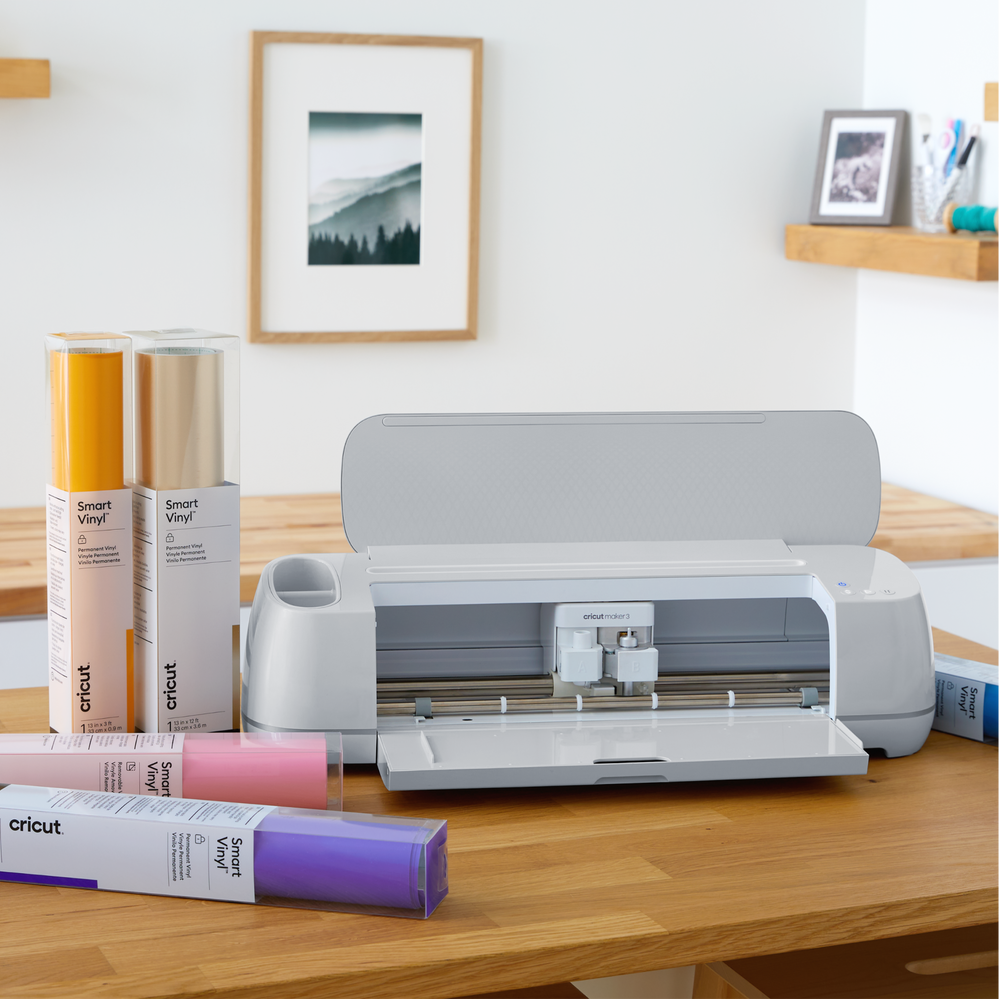
Pros of the Maker 3
To start with, let’s look at the positives, and the items Cricut lists as features. Some of these are taken right off the Cricut website.
- It is a quieter machine
- It is compatible with more materials
- It can cut wider
- I want to clarify on this one. If you are using the Cricut Smart Vinyl without a cutting mat it can cut wider, but really it is not that much wider. Just 11.7″ wide as compared to 11.5″ wide with other Cricut machines.
- Writes, draws, foils, engraves, embosses
- Okay, I am calling their bluff on this one! The Cricut can deboss but it cannot emboss. Yes, technically debossing is the opposite of embossing, so if you flip the debossed paper over it would be embossed but let’s call it what it is!
Another item I have heard a lot of feedback on is the ability to cut wood. There are many people who purchased the Maker 3 specifically to cut wood. I did an entire article on the topic of Cutting Wood with the Cricut Maker. If you plan to cut wood as one of your crafts, I would recommend you look into a laser cutting machine.
I have spoken with some cutting machine insiders who really look at the nuts and bolts of a machine and they have told me that the Cricut Maker and the Cricut Maker 3 are pretty much the same machine as far as the system parts. The biggest difference they saw was that the Maker 3 could cut matless.
Cons of the Cricut Maker 3
For me, the biggest con of the Maker 3 is that in order to cut without a mat, you have to use the Cricut brand Smart Vinyl. I have openly said that I am not a fan of any of the Cricut vinyl, so why would I pay more for a machine where one of the benefits is being able to use a material I consider low quality?
The reality of the things is that if I ever upgrade from my current machine, and I decide to stay with Cricut product, I am probably going to have to buy one of their machines that are made to cut matless with the Smart Vinyl. This seems to be the way Cricut is going and I doubt that they will ever make another machine that does not have this feature. This will mean I will be paying for a feature that I will never use.
Another con is the cost. At the time I wrote this article the Cricut Maker 3 was on sale for $399, while the Maker was selling at $199. That is a $200 difference!
How Thick can the Maker 3 Cut?
Materials must be less than 2.4mm thick. This is because the material needs to go under the rollers on the machine. Unfinished plywood sheets that can be used for laser cutting and engraving, DIY ornaments, and architectural models starts at 1/8″ thick, which is 3mm.
What is the Maker 3 app?
This machine uses the same Design Space app and software as all of the other Cricut machines. Actually ALL of the current Cricut machines will use the Cricut Design Space software or app so really there is not learning curve once you know how to use that software.
Luckily you are in the right spot. I specialize in teaching people to use Cricut Design Space. While some others spend all kinds of time showing you how to make different projects from their designs, I show you how to use the software to be able to really create your OWN designs. A perfect example of this would be my Mickey Mouse 3D layered mandala project. Because I understand what the software can and cannot do I was able to take something that was just an idea in my head and make into an amazing project that I love!
Are there Maker 3 Alternatives?
Yes! There are plenty of machines that also allow you to do everything that the Cricut Maker can do including cutting matless. Some options include
What about the Cricut Maker 3 Bundle?
We already looked at the price of getting the Maker 3 machine. Some people would say if you get the Cricut Maker 3 bundle you are getting a better deal since you are getting a TON of supplies. Just look at all of the stuff in the photo below!
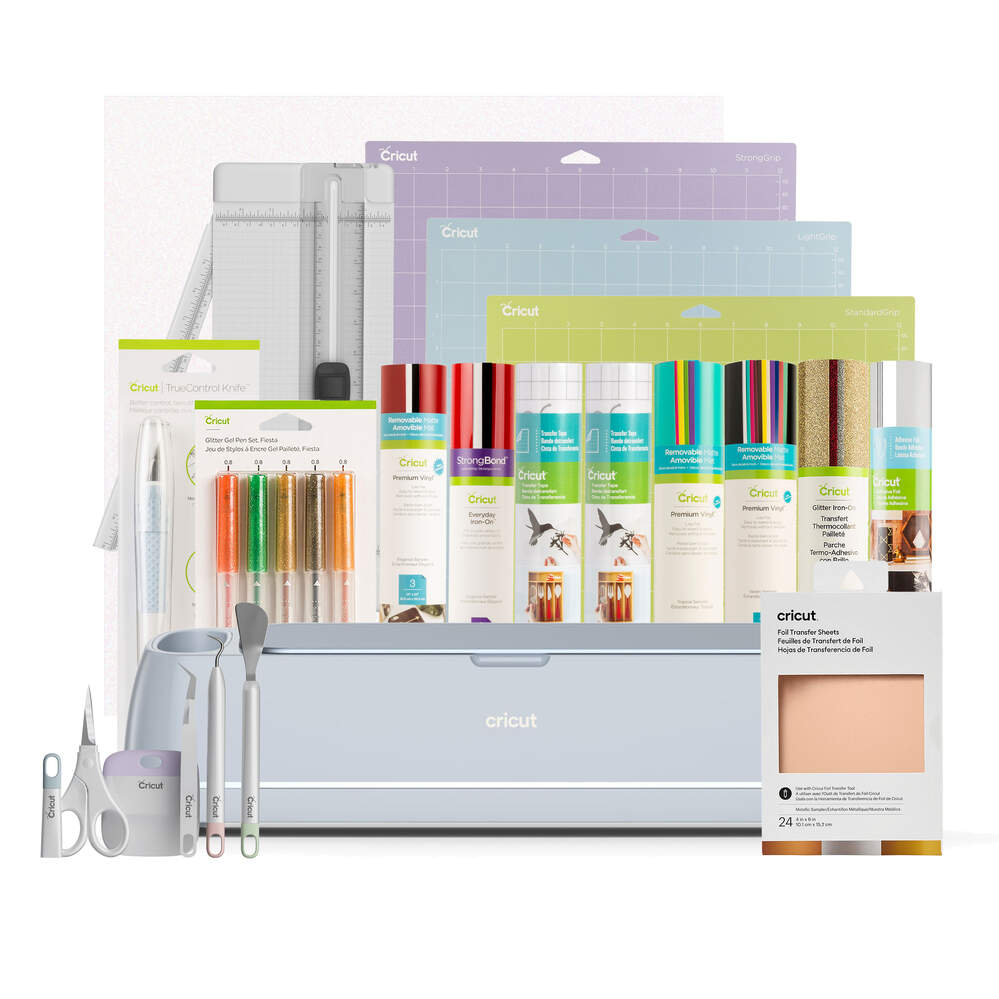
Yes, you will need the extra mats, but I have to ask why they are including mats if one of the selling points of this machine is that it can cut matless?
I have already shared how I feel about the Cricut brand vinyl. I actual had some that I threw away because it was so hard to work with! So that makes the 8 rolls of vinyl in the photo above worthless.
The tools are probably the best things in this bundle, and even with saying that, the items I use the most are the weeding tool and the spatula. You can purchase those on their own without getting the bundle. Additionally, I do use my pens a lot so I see those as a good value.
What about the Cricut Explore 3?
For me, prices is a big factor, so I want to share what the price was at the time of this article on all of the machines mentioned in this article. These prices are straight from the Cricut website.
- Cricut Explore Air 2 $179
- Cricut Explore 3 $299
- Cricut Maker $199
- Cricut Maker 3 $399
So, if cost is the biggest factor in your choice, the Explore Air 2 is the lowest prices machine.
Just so you know, I currently have the Explore. Not the 2, but the original Explore. Every project you see on my website or social media is done with the original Explore. Why am I stressing this point? To prove that you do not need the newest and most expensive machine in order to make amazing projects!
Now, the price difference between the Maker and the Explore Air 2 is only $20, so if you can afford it I would strongly encourage you to just get the Maker.
Cricut Questions
Is there anything that I missed? Do you have more questions about the Cricut Maker 3? While I do not own one, I know people who do and they are more than happy to test things out so that I can add to this article.



19 Responses
Hello! Helpful post, thank you! If I am only ever planning on cutting paper/cardstock – I don’t even plan to ever cut vinyl, I just want to cut paper shapes – would you go with a Maker, then?
Yes, the Maker or even the Explore would work. I have an Explore.
I’m interested in cutting vinyl for car decals and such. What vinyl do you recommend?
I like Oracle and StarCraft
https://mycraftsource.com/?partner=210776
Use code ShawnMosch for 5% off your order!
I want to cut my own skincare product shipping boxes, 350 GSM and 700 GSM rigid cardboard. I also need an affordable wide/large format printer so I can print my own boxes too, same 350 and 700 GSM rigid cardboard. Please suggest an affordable cutter and printer. I’m a start-up so for now, cost is everything!
Honestly, I would buy pre-cut boxes and just do a printing sticker that you add with the logo.
Hi Shawn,
I’m very new to this…I will be looking to design vinyl decals for a small at home business of RC Car Accessories and was wondering what you would recommend? May possibly venture to vinyl skins later on in the project…Thank You
Hi Shawn,
I’m looking to cut personal word signs for my wreaths that I make. 1/8 inch thick and 10-12 inch wide would be great. Which machine would you recommend for just that kind of project?
Thanks! Carol
I would actually not recommend ANY of the Cricut machines for this. You can find out more details in my article specifically about cutting wood with the Maker. https://www.shawnmosch.com/cutting-wood-with-cricut-maker/
With a LOT of work, some people have gotten good cuts on wood with the Cricut Maker, but since it takes about 20 passes to do it, the process can take HOURS to complete.
I would invest in a laser to cut wood. https://www.shawnmosch.com/xtool/
Hi! Mostly planning to cut felt. Is one better than the other?
Any of the Maker machines will work. Be sure to use the rotary blade.
Hi, Shawn –
Which cricut machine is best for engraving acrylic? Is there another brand that can also engrave?
The Maker machines would be “best” for engraving since they are more powerful, but I have engraved with my first generation Explore so really any of the larger machines can engrave. https://www.shawnmosch.com/cricut-engraving-tool/
The drawback with engraving with any of the Cricut machines is that the item you are engraving on has to be very thin so that it slides under the rollers on the machine. If you want to get into engraving thicker items, I would suggest looking into a laser machine that allows you to work on things that are much thicker. https://www.shawnmosch.com/xtool/
I would really love to purchase a Circut machine. I have a ton of card making supplies and a sizzle, many metal dies to cut and I still use them all. What I am really looking for, is something to decorate mugs, bags shirts etc. I want to create my own designs and would enjoy many fonts. What machine is best for me? I also, don’t want to have to subscribe to anything. Would I be able to purchase an “off brand” vinyl? Any info you could give me would be greatly appreciated!
Andrea, I think that any of the 12″ machines would work for you. The Joy is just so small many people outgrow it.
If you want to create your own designs, just be aware that you cannot take your designs out of Design Space.
The Design Space software is free, and there is something called Cricut Access that you can subscribe to in order to use more images and fonts that Cricut owns . . . but you don’t HAVE to get it. I have never subscribed to Cricut Access. I do everything I do with just the free software.
You can use any brand of vinyl, you will just need to put it on a cutting mat. The Cricut brand Smart Vinyl is the only vinyl that will load into the Cricut machines without a mat. Personally I do not like the Cricut brand vinyl.
Hello ,
Just looking for basic party favor usages such as labels – decals for backdrop – images – things of that nature not really a crafty just trying to get one without doing all the unnecessary upgrades . What do you recommend? – Walmart has a explore 3 on sale now for 180.00 seem to be the best price right now , what do you think?
For what you want to do, the Explore 3 would get you what you need.
Hi Shawn,
It’s been a while since you wrote this article and I am wondering if you still feel the same way toward the Cricut Maker3?
I am in between purchasing the Cricut Maker and Cricut Maker3 (It’s a $100 difference), and I wanted to get your input on it. I mainly want it for engraving and embossing.
The ONLY thing I would add to this review is that some people have had issues with the rubber rollers coming off on the original Maker (but there are replacement pieces on Amazon)